
How it works
From a pile of statements to a clear picture
It works in your browser and on your phone. Nothing to install.
One
Bring in your statements
Download statements from your bank: PDFs from HSBC or Nationwide, or a CSV file from any bank, as long as it has a date, a description and the amounts. Drop them on the Import page. The file is read in your browser and never uploaded; only the payments are saved. There is no bank login and nothing to connect.

Two
Sort once, sorted for good
Start from a ready-made set of categories or make your own. Put payments from the same place into a category in one go, and Finances remembers: next time that shop appears on a statement, it is sorted as it comes in. Transfers between your own accounts and tax payments are kept out of your living costs.

Three
The year at a glance
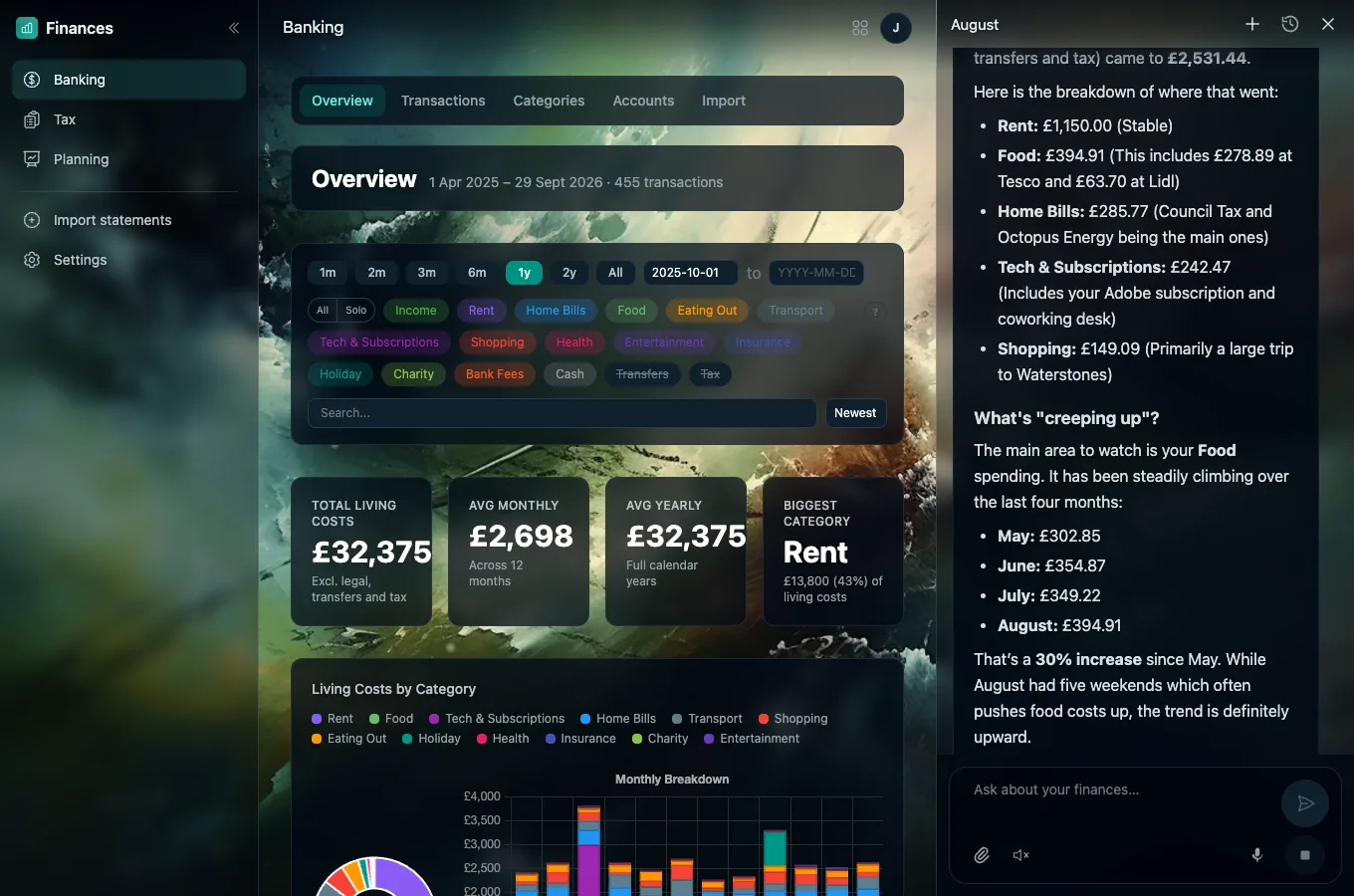
What you spend in a month and a year, where most of it goes, your biggest shops and where your money comes in from. Pick any stretch of time, switch categories on and off, search for anything.
Four
Try out different futures
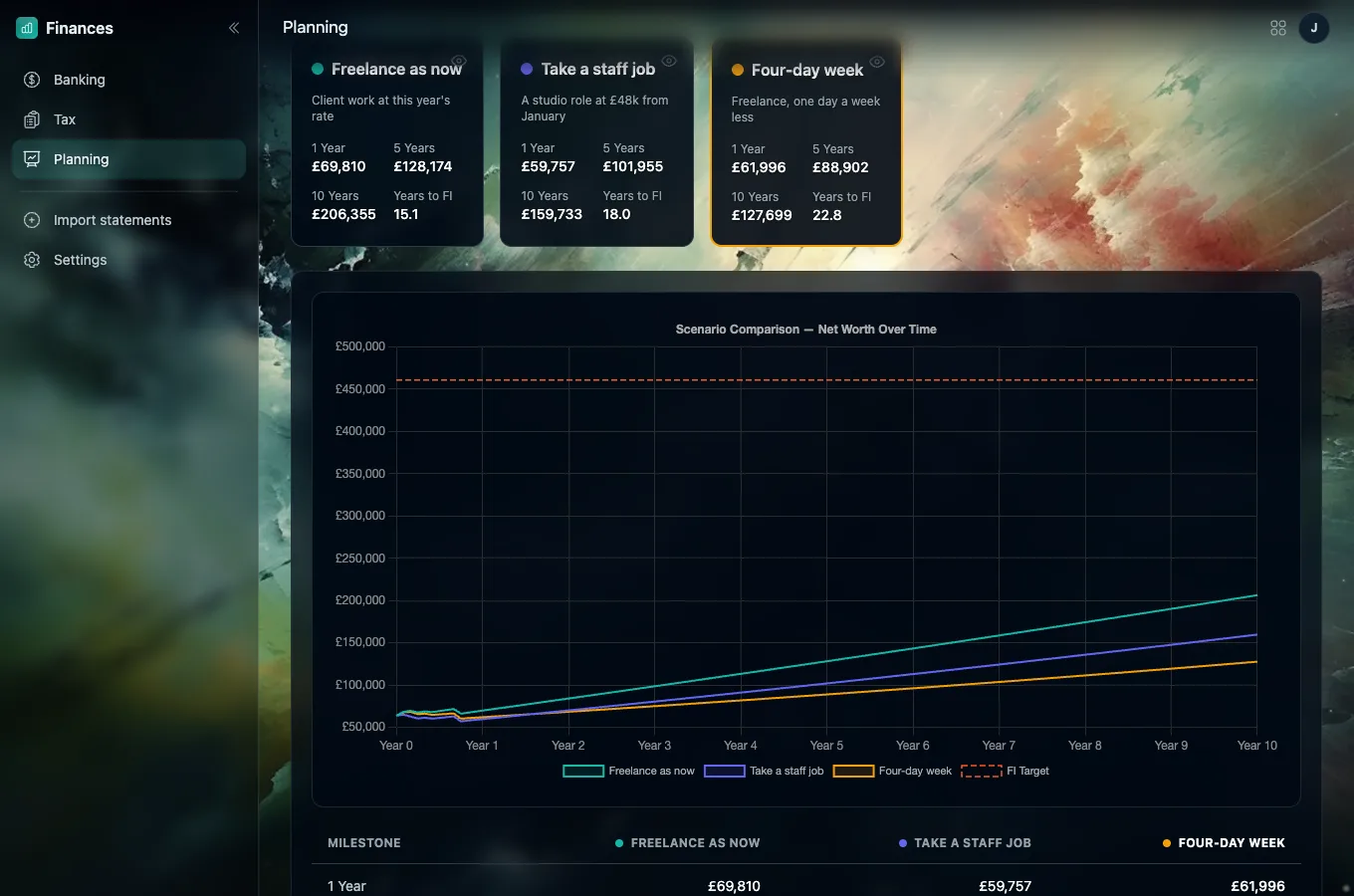
Note what you have (current account, savings, ISA, pension, Premium Bonds) and the money you expect in and out. Then set up plans side by side, such as carrying on as now, taking a staff job or working four days a week, and see how each plays out over ten years and over a lifetime, pension age included. If the money would run short, the chart shows it.
Five
Ask, and it looks it up
The chat sits beside every page. Ask where the money went, what has crept up, or what a staff job would change, and it answers from your own figures. It can also do the tidying for you: move payments to the right category, teach it a new shop, or set up a plan to compare. It never moves money; it only works on the figures in Finances.

What it will and won't do
A clear view, not a bank
- 01It never connects to your bank and never asks for your bank login.
- 02It cannot move money, pay anyone or file anything for you.
- 03Its plans and tax figures are estimates from your statements, for you to check.
Your money is your business
Only you can see your figures. When you use the chat or the tax helper, the parts they need are sent to Google's Gemini to work out the answer. You can delete everything from Settings at any time. The detail is in the privacy policy.
Ready?
Start with one statement
Sign in, bring in a statement, and see your first month sorted.
See how to start